How to play Ant Zigzag on iPhone
Ant Zigzag isn't on the App Store. On iPhone you play the web version instead: the same 50 levels as the Android app, free, with no ads and no in-app purchases. Open it once in Safari, add it to your Home Screen, and after that it plays without an internet connection.
Opens in your browser. Nothing to install from the App Store, no account to create.
Add it to your Home Screen
You can play straight away in a Safari tab. Adding it to the Home Screen gives you an icon that opens the game full screen, without Safari's address bar and buttons.
- Open joybit.one/play/ in Safari while you have Wi-Fi or mobile data.
- Let the page finish loading. On this first visit your iPhone also saves a copy of the whole game in the background, which is what lets it run offline later. A few seconds on a normal connection is enough.
- Tap the Share button, the square with an arrow pointing up. On some iOS versions it sits behind the button with three dots, so tap that first.
- Tap Add to Home Screen. If you don't see it, scroll down the list of actions. Keep the name "Ant Zigzag" or change it, then tap Add.
- Open the game from the new icon on your Home Screen. Pick Ant Zigzag from the game menu and you are in.
Recent iOS versions also let other browsers add sites to the Home Screen. The steps above are for Safari, which every iPhone has.
Playing offline
After the first visit, every file the game needs is stored on your iPhone, and the game code makes no network requests. Levels, story and sound all come from that stored copy, so it plays the same in airplane mode, on the subway or wherever the signal drops.
To check before you rely on it, for example the night before a flight:
- Open the game once from the Home Screen icon while online.
- Turn on airplane mode and make sure Wi-Fi is off too.
- Close the game fully: swipe up from the bottom of the screen and pause, then swipe the game away.
- Open it again from the icon and play a level.
When we release an update, the game picks it up the next time you open it with a connection. It downloads in the background, and the new version is used from the following launch.
Where your progress is saved
There is no account and no cloud save. Your levels, stars, sugar and upgrades are saved in the browser storage on your iPhone. That has a few consequences worth knowing up front:
- The Home Screen icon and a Safari tab keep separate saves. iPhone stores data for Home Screen web apps apart from Safari, so progress made in one doesn't show up in the other. Pick one and stick with it. We suggest the icon.
- Clearing Safari's website data deletes your progress. That includes Clear History and Website Data in Safari's settings. Removing the Home Screen icon can remove its save as well.
- Safari can clear data for sites you haven't opened in a while. Apple has said Home Screen web apps are handled separately from that rule, which is another reason to play from the icon, but we can't promise how every iOS version behaves.
- It stays on this iPhone. Progress doesn't move to another phone, to the Android app, or to an iPhone app if one comes out later.
Since the save lives only on your phone, we can't see it or restore it. The privacy policy explains what the website and the web version do and don't collect.
What you are playing
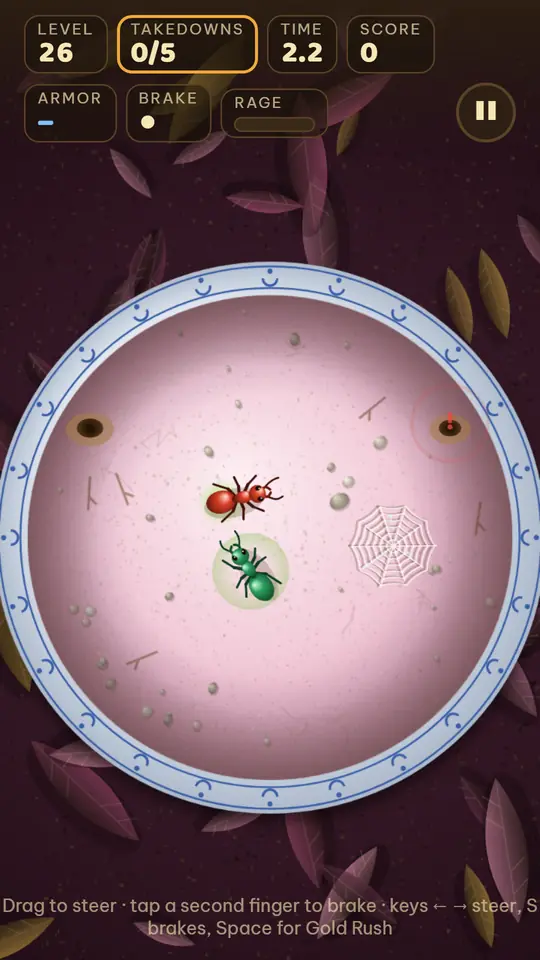
Ant Zigzag is a short-round action game. You steer Kim the ant with one finger and win by ramming the back half of other ants, while keeping away from their heads. There are 50 levels across 5 lands, 5 boss fights, 10 special levels with their own rules, and a short story in English and Vietnamese. Lose and you retry right away, with no lives or waiting.
The Ant Zigzag page has the overview and screenshots. For tips on each enemy ant and the bosses, read how Ant Zigzag plays.
Questions
Is it really free?
Yes. There are no ads and no in-app purchases in the web version or the Android app. The sugar used for upgrades can only be earned by playing.
Is there an App Store version?
Not now. The web version is the way to play on iPhone. If an App Store version comes out, we will post it on the game's Facebook page.
How do I control it on a touch screen?
Touch and drag to steer. From level 11 you can tap a second finger to brake. You can play holding the phone in one hand.
Can I turn the sound off?
Yes, with the note button at the top of the level map.
Does it play online or with friends?
No. Ant Zigzag is single-player, with no online play and no leaderboard.
Free, offline after the first visit, no ads.